Actor Maker | Sprite Sheet Maker For RPG MAKER MV/MZ
A downloadable tool for Windows
Actor Maker is a dedicated pixel-art sprite sheet editor built for MV and MZ actor patterns. Creating character for RPG Maker is really fiddly. Every actor needs a 3×4 sprite sheet where each column is a facing direction (down, left, right, up) and every row is an animation frame. Between aligning the grid, keeping pixel art crisp, and redoing the whole sheet for every character, artists lose hours to busywork. This tool was made to take that pain away.
What it does
You paint directly on the entire MV/MZ character sheet at once, with the frame boundaries always visible. Every stroke lands in the correct cell automatically, so you can't accidentally break the RPG Maker layout. When you're done you export a ready-to-drop-in PNG — no manual slicing, no rescaling.
Core features
- Layers — unlimited paint layers over the base sprite image, with opacity, blend modes (multiply, screen, etc.), lock, duplicate, merge, drag-to-reorder thumbnails.
- Brush / Eraser / Eyedropper/Selector — a full pixel toolkit with a live color picker (hue + saturation/value), plus a circular draw cursor for pixel-accurate placement.
- Custom Draw frame editor — right-click any frame and zoom into a single cell (scroll to zoom, Ctrl+drag to pan) for detailed work, with its own color picker and brush size.
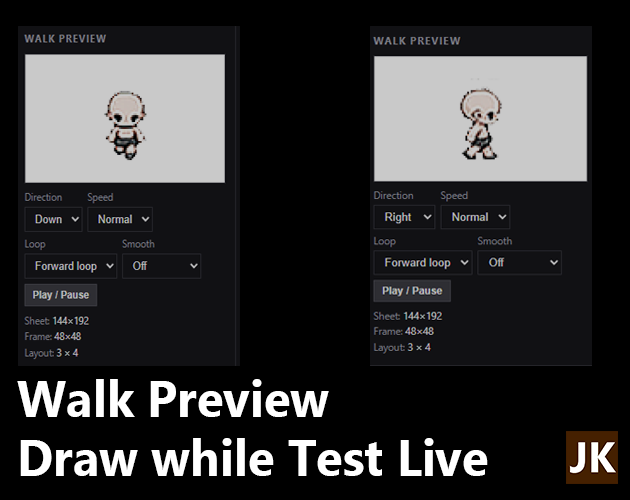
- Live walk preview — immediately previews your sprite as a walking animation (four directions, loop/smooth options) so you see how it moves, not just how it looks.
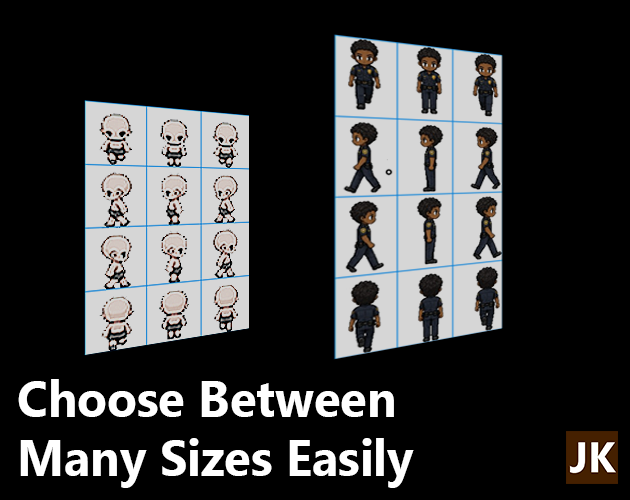
- Modern RPG Maker sizes — built-in sheet presets for the standard MV/MZ charset (48×48 px cells, 144×192 sheet) plus the larger 80×110 style (240×440), with scale-to-fit on import/export.
- Import & export — import any image (scales to the sheet), export clean PNGs in any size, or scale the full sheet.
- Multi-project tabs — work on several actors at once in separate tabs; drag a layer onto a tab to copy it across projects.
- Focus mode, walk-preview toggle, frame grid, background color, undo, autosave — plus rename/duplicate/merge/reorder layers and keyboard shortcuts (E toggles brush/eraser, Alt+click eyedropper, Ctrl+Z undo, F2 rename).
Walk Preview
The Walk Preview is a live animation window in the left sidebar that shows your sprite walking in real time, exactly as RPG Maker MV/MZ will render it — so you can judge the animation as you paint, not after exporting.
What it shows
- A dedicated canvas (2× the frame size: 96×96 on the standard 48×48 grid) that replays the actual sprite sheet — no placeholder, no separate export. Every frame is sliced live from your current work, so brushstrokes, layer changes, blend modes and size settings all show up immediately.
- Default MV/MZ behavior: 3 columns × 4 rows, where each row is a direction. The preview plays a sprite's walk cycle — standing/stepping frames looping as RPG Maker does.
Selector Tool
The Selector allows you to move a specific frame of your choice, respecting grid boundaries. This ensures the frame's image stays within limits and prevents the animation from breaking. You can switch to Limit to Border or Wrap Around. In any case you'll not mess up boundaries.
Focus Mode
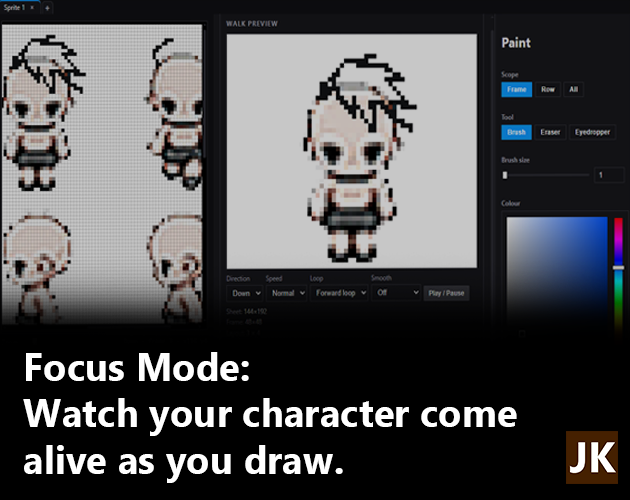
Focus Mode strips away the tools and panels and turns the workspace into a stage, so the eyes land exactly where they should: on the character. The sprite canvas takes the spotlight, the right-hand editing panels collapse, and the walk-preview frame transforms into a large on-stage display of your actor in motion. Toggle it anytime without losing your place. Your tool selection, layers, and zoom all stay exactly as you left them. (Default Shortcut: TAB)
v.0.1.0 Beta
Purchase
In order to download this tool you must purchase it at or above the minimum price of $5 USD. You will get access to the following files: